What is an AI Google Form generator?
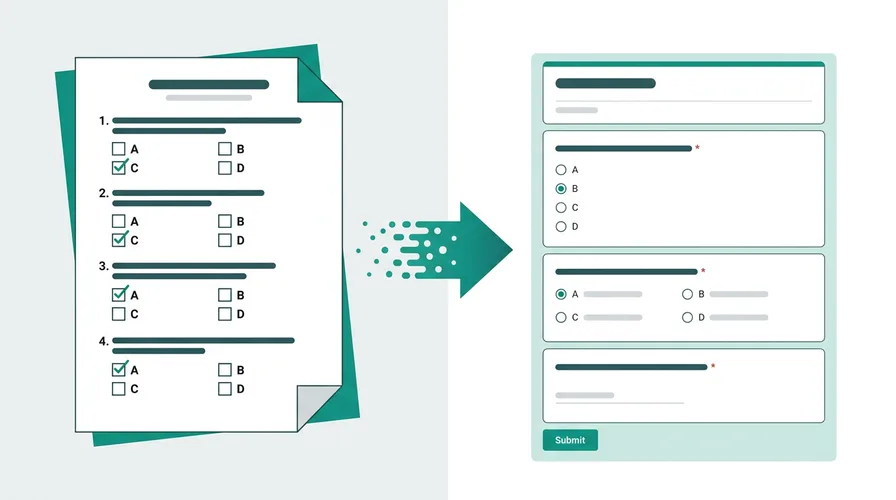
An AI Google Form generator turns a source document or a text brief into a native Google Form in your Drive. Doc2Form uses Gemini AI to read PDFs, Word files, images, or plain-English descriptions, then the Google Forms API writes the form. You edit and share it like any form you built by hand.
Google Forms itself does not import PDFs or Word files. Gemini inside Forms can suggest questions from a prompt, but it does not read an existing file with tables, numbered options, and section headings intact. Doc2Form closes that gap.
How the AI works
- Input - Upload a PDF,
.docx, or image (up to 5 MB), or switch to Describe and type what you need. - Extraction - Gemini reads text and layout. Word files pass through Mammoth first; scans and photos use vision.
- Structure - The model returns questions, field types (multiple choice, checkboxes, scales, short answer), sections, and options.
- Output - The Google Forms API creates the form in your Drive. You get edit and share links.
- Review - Always skim labels and required fields before publishing. Think first draft, not final copy.
Typical run time: under a minute for most files. Your upload is not stored after the form is created.
Based on a sample of 1,775 Google Forms generated by Doc2Form users, containing 55,761 questions across 47 languages. That is an average of 31 questions per form - roughly 21 minutes saved per form versus rebuilding each question by hand in the Forms editor (assuming ~40 seconds per question).
AI vs Gemini inside Google Forms
| Gemini in Google Forms | Doc2Form AI generator | |
|---|---|---|
| Reads PDF / Word upload | No | Yes |
| Reads scans and photos | No | Yes |
| Output | Questions in the Forms editor | Native Form in your Drive |
| Open source | No | Yes (GitHub) |
| Pricing | Included in Workspace | First form free; credits after |
For a deeper comparison, see Doc2Form vs Google Forms Gemini. If you compare add-ons, see Doc2Form vs AI Form Maker.
Do it yourself - free with Google Apps Script
Doc2Form is open source. Self-host with Google Apps Script and a free Gemini API key from Google AI Studio:
- Create a project at script.google.com
- Copy
code.gs,Prompts.gs,Index.html, andappsscript.jsonfrom the repo - Set
GEMINI_API_KEYas a script property - Deploy as a web app
Full steps are in the README. Same AI pipeline as doc2form.dev, unlimited on your account.
Limitations - what to expect
- Not 100% perfect: Complex tables, handwriting, or image-only questions may need manual fixes.
- No conditional logic from AI: Branching (show B if A = yes) is added in Google Forms after creation.
- 5 MB upload cap: Split very large packets or trim appendices first.
- Google Forms only: Doc2Form does not export to Moodle, Canvas, or Typeform. Output stays in Drive.
Sources
- Google Forms API - programmatic form creation after AI extracts structure from your file.
- Google Apps Script - runtime for the open-source self-host path in your Google account.
- Gemini API - document structure analysis for question and field detection.
Common questions
Is there a free AI Google Form generator?
Yes. Your first form is free on doc2form.dev with no credit card. After that, credit packs do not expire. Or self-host the open-source version with your own Gemini key for unlimited runs.
Can AI create Google Forms from a PDF?
Yes. Upload the PDF and Gemini extracts questions and options. Google Forms has no built-in PDF import; Doc2Form automates that path. See how to convert PDF to Google Form for step-by-step detail.
Can AI create a Google Form from a description only?
Yes. Use Describe mode when you do not have a file. Type the form you need in plain English. For long briefs and examples, see Create a Google Form from a description.
How is this different from ChatGPT or Gemini chat?
Chat tools return text or JSON you still paste into Forms. Doc2Form calls the Google Forms API and delivers a live Form in Drive, not a list to copy.
Does Doc2Form work on mobile?
You can sign in and upload from a mobile browser. Very large files or complex review are easier on desktop.
What is the difference between an AI form generator and Google Forms Gemini?
An AI form generator (like Doc2Form) creates a complete form from a file or text prompt and delivers it as a native Google Form in your Drive. Gemini inside Google Forms drafts question suggestions from a prompt - it does not read a PDF or Word file you upload directly, and it requires a paid Workspace or Gemini plan. Doc2Form works on free Google accounts and reads the file directly, including scans and images. For a full side-by-side, see Doc2Form vs Google Forms Gemini.
Is Doc2Form open source?
Yes. The converter is Google Apps Script on GitHub. Inspect the code or run it yourself.