In short
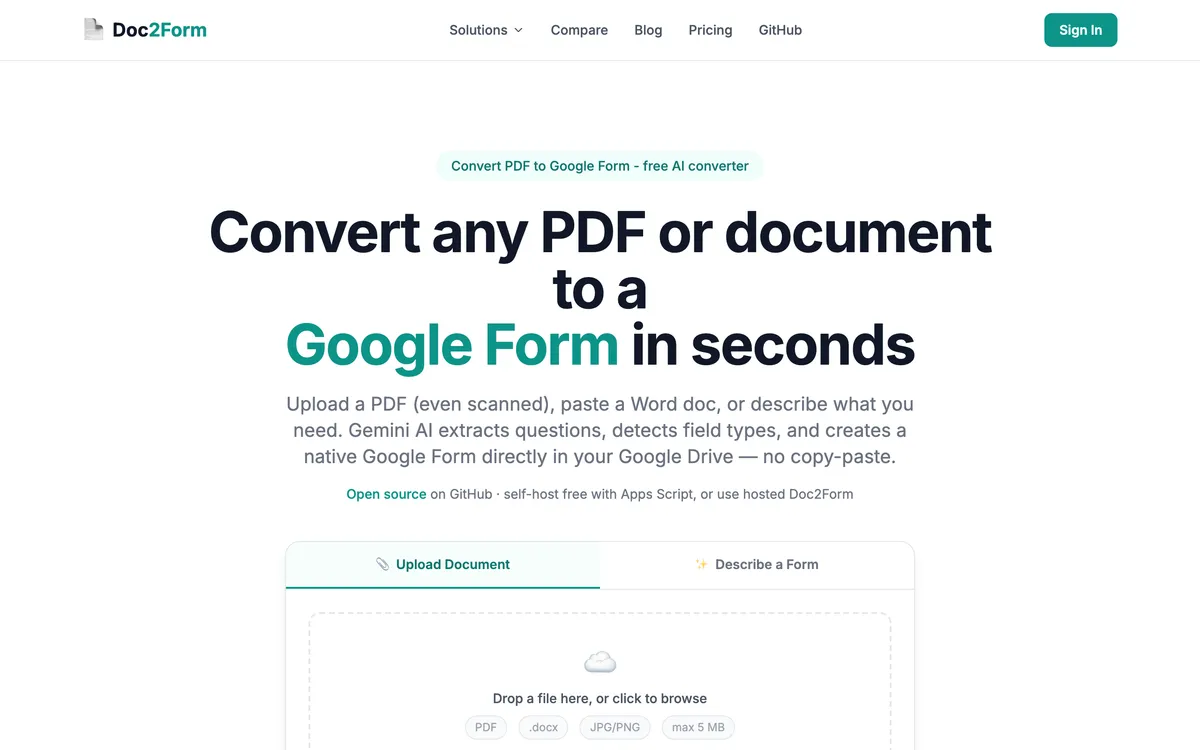
- Pick Doc2Form if you want a native Google Form to appear in your Drive from a PDF, Word file, or a photo of a paper form, in one step, with no code to paste.
- Pick Pirai AI if your instrument is a research survey headed for Qualtrics, REDCap, or a matrix-grid-heavy Google Form, or if your institution will not grant a third-party app access to Drive.
What is Pirai AI?
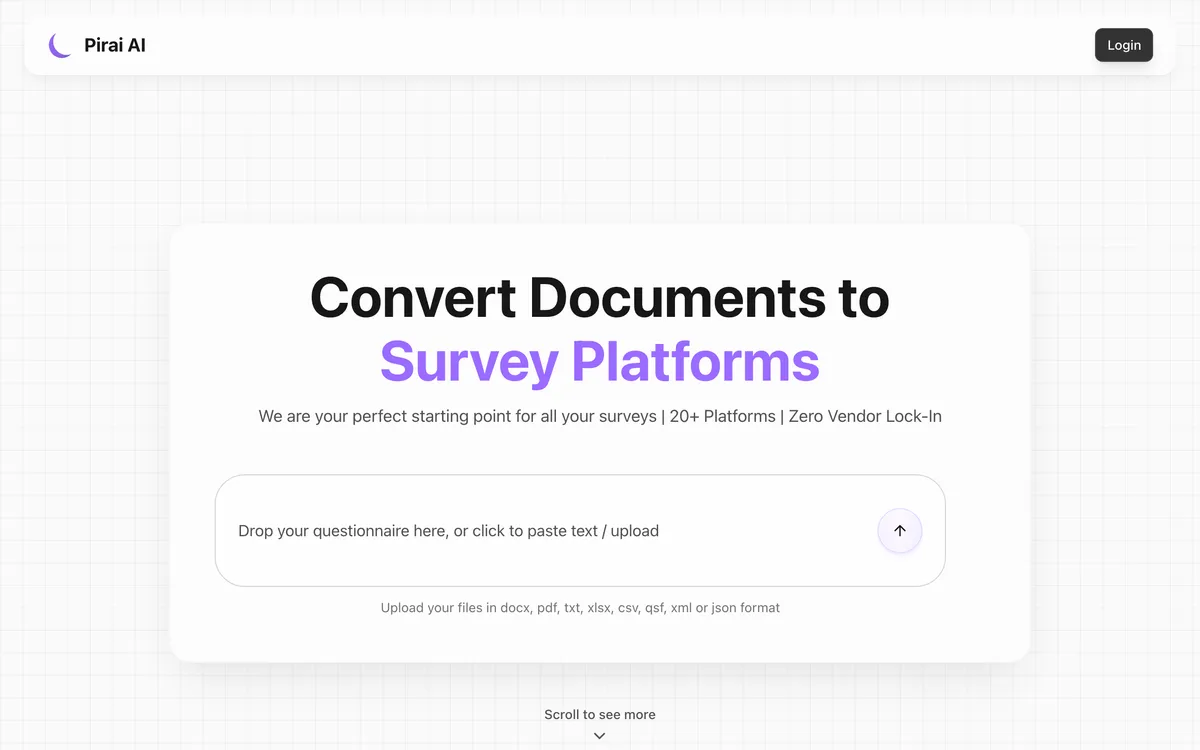
Pirai AI is survey automation built for researchers. You give it a questionnaire in Word, PDF, Excel, CSV, TXT, XML, or a Qualtrics QSF export, and it converts that instrument into a working survey on the platform you actually use: Qualtrics, REDCap, SurveyMonkey, QuestionPro, Microsoft Forms, Zoho Survey, Alchemer, Forsta and more than twenty others. The company says it is an official QuestionPro technology partner, that it is used at 40+ institutions including Stanford, Harvard, Oxford, Cornell and McGill, and that it handles 50+ languages with proper UTF-8 handling.
Google Forms is one output among many for Pirai, and the way it gets there is the single most important thing to understand before you choose. Pirai does not create the form in your Drive. It generates a Google Apps Script that you download, open in the Apps Script editor attached to Google Forms, paste in, and run. The script builds the form. That means Pirai never asks for OAuth access to your Drive, which is a real advantage if you work somewhere that treats third-party Drive scopes as a procurement event. It also means three or four extra manual steps and a small amount of comfort with a code editor.
Pirai also publishes a review page comparing document-to-Forms tools, where it ranks itself first and puts Doc2Form third. It describes Doc2Form as "fast for simple documents", notes that it "requires Drive access", marks matrix grids as "limited", and says the free tier is "first form only". All four of those are accurate. We would rather explain the tradeoff than argue with it.
Quick comparison: Doc2Form vs. Pirai AI
| Attribute | Doc2Form | Pirai AI |
|---|---|---|
| Primary job | Documents to Google Forms | Research instruments to survey platforms |
| Google Forms delivery | Written directly into your Drive | Generated Apps Script you paste and run |
| Steps to a live form | Upload, confirm, open form | Convert, download script, open editor, paste, run |
| Third-party Drive OAuth | ✅ required (forms.body) |
❌ not required |
| Other output platforms | ❌ Google Forms only | ✅ Qualtrics, REDCap, SurveyMonkey, QuestionPro, 20+ more |
| PDF (digital) | ✅ | ✅ |
| Scanned PDF or photo of paper | ✅ AI vision | ❓ not its stated strength |
| Word (.docx) | ✅ | ✅ |
| Excel / CSV input | ❌ | ✅ |
| Qualtrics QSF input | ❌ | ✅ |
| Matrix / grid questions | ⚠️ often needs manual cleanup | ✅ supported, including checkbox grid |
| Plain-English prompt mode | ✅ Describe mode | ❌ document-driven |
| File size cap | 5 MB | Check current limits |
| Open source | ✅ | ❌ |
| Free tier | First form free, no card | Free for academic researchers, teachers, students |
| Pricing model | Credits that never expire | Check current pricing on their site |
The honest summary of that table: Pirai wins on breadth of instrument and breadth of destination. Doc2Form wins on how little work the last mile takes and on messy source files. If your questionnaire is a clean Word document destined for Qualtrics, Pirai is doing something Doc2Form cannot do at all. If your questionnaire is a photocopy in a filing cabinet and it needs to be a survey PDF turned into a Google Form before Friday, Doc2Form is doing something Pirai does not aim at.
Which tool should you pick?
| Your situation | Better fit | Why |
|---|---|---|
| You have a scanned paper intake form and need it as a Google Form today | Doc2Form | AI vision reads scans and phone photos, then writes a native Google Form straight into your Drive |
| Your instrument is mostly matrix and checkbox grids (Likert batteries, rating tables) | Pirai AI | Grid question types are explicitly supported; Doc2Form often needs manual cleanup on grids |
| The same questionnaire also has to run in Qualtrics or REDCap | Pirai AI | It exports to both natively; Doc2Form only ever outputs a Google Form |
| Your source file is an Excel sheet, a CSV, or a Qualtrics QSF export | Pirai AI | Those inputs are supported; Doc2Form takes PDF, DOCX, and images only |
| Your IT policy forbids granting third-party apps access to Google Drive | Pirai AI | Its Google Forms path is a script you run yourself, so nothing external touches Drive |
| You are an academic researcher, teacher, or student who qualifies for their free tier | Pirai AI | A free academic tier beats paying per form if you meet the criteria |
| You want the form to exist without opening the Apps Script editor | Doc2Form | One upload, one confirmation, and the form is in Drive with a shareable link |
| You are in HR, ops, or a clinic converting a PDF into a Google Form once or twice a month | Doc2Form | Credits do not expire, there is no subscription, and the first form is free |
| You have no document yet and want to draft from a brief | Doc2Form | Describe mode generates a form from a plain-English prompt |
Features compared
The workflow difference, in detail
This is the crux, so it is worth spelling out step by step.
With Doc2Form: you upload the file, Gemini extracts the questions and options, you confirm, and a real Google Form appears in your Drive. You get a docs.google.com/forms link you can share immediately. The cost is that Doc2Form asks for the forms.body OAuth scope, because there is no way to write a form into your Drive without permission to do so. Documents are processed to pull structure out and then discarded; only the form title and link are kept.
With Pirai AI: you upload the file, it produces a Google Apps Script, you download that script, create or open a Google Form, open Extensions → Apps Script, paste the code, and run it. The script builds the questions. Nothing external ever authenticates against your Drive, because the code runs as you, inside your own Google account.
Neither of those is objectively better. One is fewer steps. The other is fewer permissions. Pick the constraint you actually care about.
Matrix and grid questions
Pirai supports all eight common Google Forms question types, including matrix grid and checkbox grid. That matters more than it sounds. Research instruments are full of Likert batteries: fifteen statements down the left, five agreement columns across the top. Reconstructing that as a grid rather than fifteen separate multiple-choice questions is the difference between an instrument that looks right and one a respondent abandons.
Doc2Form handles standard question types well and will get grid-shaped content into a form, but complex grids are on our honest weakness list. You should expect to tidy them. If your document is mostly grids, that is a real reason to use Pirai.
Scanned documents and photographs
This is the clearest place Doc2Form pulls ahead. Upload a phone photo of a paper questionnaire, a fax-quality scan, or a PDF that is really just an image, and Doc2Form reads it with AI vision. See scanned PDF to Google Form and image to Google Form for what that covers.
Pirai's positioning is structured instruments, not paper archaeology. If your source is already a clean digital file, this difference does not matter to you at all.
Breadth of destination
Doc2Form outputs exactly one thing: a Google Form in your Drive, editable, linkable to Sheets, usable in Classroom. No third-party form host, no proprietary format. That is deliberate, and it is also a limit: no LMS export, no Moodle, no Canvas, no Qualtrics. Pirai treats Google Forms as one target in a portfolio aimed at people who move between survey platforms for a living. If your work involves more than one of those platforms, the comparison is not close.
Openness and self-hosting
Doc2Form is open source at github.com/kamilstanuch/doc2form. You can read the extraction logic, audit what it sends where, or self-host it and skip the hosted product entirely, which is often the fastest way past a security questionnaire. Pirai AI is proprietary, though its script-based path offers a different kind of transparency: you can read the generated code before you run it.
Pricing: Doc2Form vs. Pirai AI
| Plan | Doc2Form | Pirai AI |
|---|---|---|
| Free | First form free, no card | Free tier for academic researchers, teachers, students |
| Entry paid | $5 / 10 credits | Check current pricing on their site |
| Larger pack | $29 / 100 credits (about $0.29 per form) | Check current pricing |
| Subscription required | ❌ | ❓ verify before you commit |
| Credits expire | ❌ never | Not applicable |
All prices are at the time of writing and both products can change them, so confirm on the live sites. The useful comparison is not the number but the shape. Doc2Form is pay-per-use: buy ten credits, use them across two years if that is your pace, never see a renewal notice. Pirai's loudest offer is an academic free tier, which is unbeatable if you qualify. If you are a university researcher, check whether you are eligible before you spend anything anywhere.
The verdict
These tools look like competitors because both have "document in, Google Form out" in their pitch, but they were built for different rooms. Pirai AI was built for a research office that lives in Qualtrics and REDCap, needs matrix grids reproduced faithfully, imports QSF files, and would rather paste a script than file an OAuth exception. Doc2Form was built for someone holding a paper form who needs it to be a Google Form before the end of the day, with no editor, no script, and no other platform involved.
The uncomfortable, useful truth is that Pirai's own review of Doc2Form is roughly correct. Doc2Form is fast for straightforward documents, does need Drive access, is weaker on grids, and gives you one free form rather than a free tier. Those are the terms of the trade. What that review understates is the last mile: for a lot of people, "the form is already in your Drive" is the whole product, and three manual steps in the Apps Script editor is exactly the friction they were trying to escape.
Takeaway: Grids, Qualtrics, REDCap, QSF files, or a no-third-party-OAuth policy point to Pirai AI. Scans, speed, Google Forms only, and no code to paste point to Doc2Form.
Frequently asked questions
Is Pirai AI better than Doc2Form?
For survey research it often is. Pirai handles matrix grids, imports Qualtrics QSF and Excel files, and exports to twenty-plus survey platforms, none of which Doc2Form does. For turning a scanned or ordinary document into a Google Form with the fewest steps, Doc2Form is the more direct route.
Does Pirai AI create the Google Form for me?
Not directly. It generates a Google Apps Script that you download and run inside the Apps Script editor attached to a Google Form. The script creates the questions. Doc2Form writes the form into your Drive itself, which is why it needs OAuth permission and Pirai does not.
Why does Doc2Form need access to my Google Drive?
Because it creates the form for you. The forms.body scope is what lets it write a native Google Form into your account. If that is a blocker at your organisation, Pirai's script approach or self-hosting the open-source version of Doc2Form are both reasonable answers.
Which one handles matrix and grid questions better?
Pirai AI. Grid and checkbox grid support is explicit on their side. Doc2Form will produce a usable form from grid-heavy content, but complex grids commonly need manual cleanup, and we would rather say that than have you discover it on a deadline.
Can either tool convert an Excel or CSV question bank?
Pirai can. Doc2Form cannot: it accepts PDF, Word (.docx), and images up to 5 MB, plus a plain-English brief in Describe mode. If your questions live in a spreadsheet, Pirai is the tool for that file.
Is Doc2Form free?
The first form is free with no credit card. After that it is credits: $5 for 10, $12 for 30, $29 for 100 at the time of writing, and they never expire. There is no subscription. Pirai advertises a free tier for academic users, so if you are at a university, check that first.
Which is better for a scanned paper survey?
Doc2Form. Reading photographs and image-only PDFs with AI vision is one of its clearest strengths, and it is not what Pirai is built around. Start at survey PDF to Google Form if that is your situation.
Can I use both?
Yes, and some teams should. Keep Pirai for research instruments and multi-platform work, keep Doc2Form for the scanned one-offs and anything that just needs to be a Google Form. See all comparisons for the wider landscape.
Try Doc2Form - first form free, no credit card.