In short
- Pick Doc2Form if the output genuinely has to be a Google Form in your Drive: Classroom assignments, an existing Sheets pipeline, or an institution that only allows Workspace.
- Pick Weavely if you are not tied to Google Forms and want better design, conditional logic you build by chatting with the AI, and unlimited responses on a free plan.
What is Weavely?
Weavely is an AI form builder. You describe what you want, or you point it at a document, and it produces a working form. It ships a Google Docs add-on that turns a Doc into a form in one click, and it has a PDF-to-form converter, so on the surface it looks like it is competing with Doc2Form on the same ground.
It is not, and the reason is one sentence: Weavely produces Weavely forms, not Google Forms. There is no forms.google.com link at the end. You cannot assign the result in Google Classroom. Responses do not land natively in a Google Sheet the way Google Forms responses do; Weavely integrates outward to Sheets, HubSpot, Notion and Salesforce instead. The form lives on Weavely's platform and you share a Weavely link.
Once you accept that, Weavely is a strong product and it is worth being straightforward about why. The forms look considerably better than a stock Google Form. You can add conditional logic by telling the AI what you want in plain language rather than wiring branch rules by hand. Multipage forms are supported. And the free-forever plan includes unlimited forms and unlimited responses, which is unusually generous for this category. A Pro tier (around $180 a year at the time of writing, verify current pricing) adds a custom domain and multilingual forms.
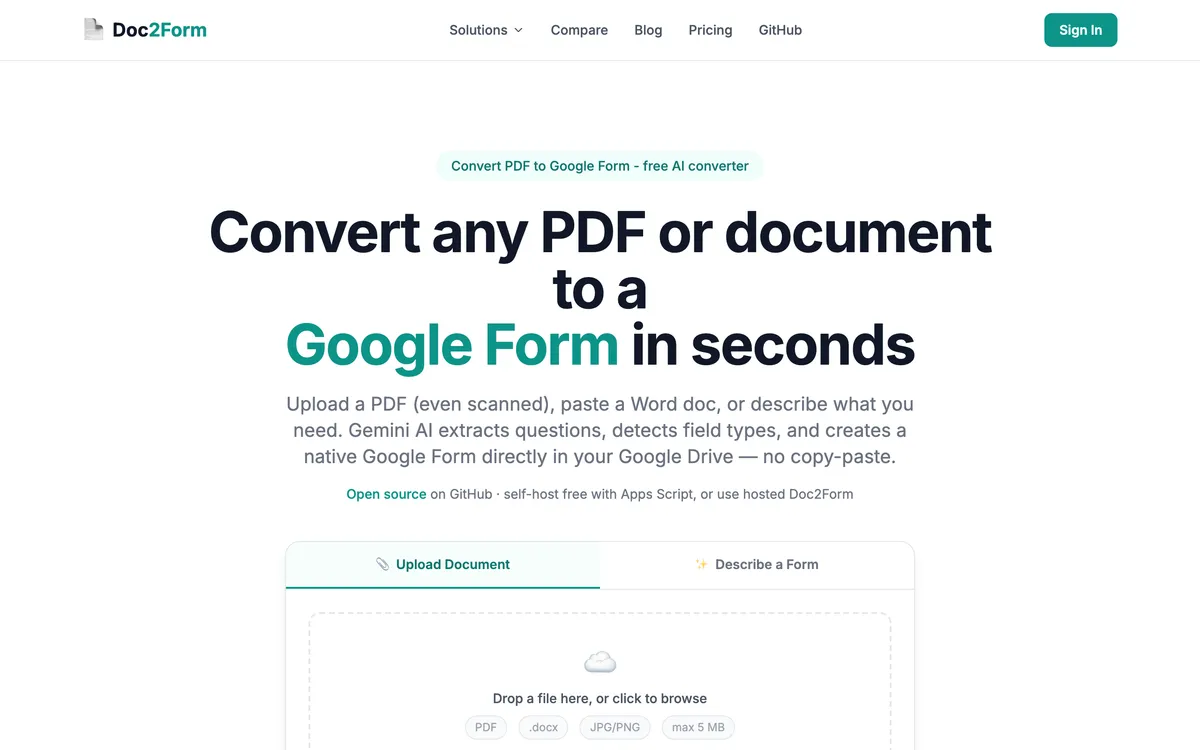
Doc2Form does one job. It takes a PDF, a Word file or an image up to 5 MB and writes a native Google Form into your own Google Drive, using Gemini to read the structure, including scans and photos of paper. It also has a Describe mode for generating a form from a plain-English brief. The output is a real Google Form, editable in Drive, and it behaves like every other Google Form you have ever made.
So this page is not really a feature fight. It is a platform question, and the platform question has one honest form: does the thing you produce have to be a Google Form?
Quick comparison: Doc2Form vs. Weavely
| Attribute | Doc2Form | Weavely |
|---|---|---|
| What you get at the end | A native Google Form in your Drive | A Weavely-hosted form |
| forms.google.com link | ✅ | ❌ |
| Google Classroom assignment | ✅ | ❌ |
| Native Google Sheets response storage | ✅ | ❌ (integrates to Sheets instead) |
| Google Docs add-on | ❌ (web app instead) | ✅ |
| PDF input | ✅ | ✅ |
| Word (.docx) input | ✅ | ❓ (Docs and PDF are the documented paths) |
| Scanned PDF and phone photos | ✅ (AI vision) | ❓ (not the positioning) |
| Generate from a plain-English brief | ✅ | ✅ |
| Conditional logic | Basic Google Forms branching, set manually | ✅ Add it by chatting with the AI |
| Multipage forms | Google Forms sections | ✅ |
| Design quality out of the box | Standard Google Forms look | ✅ Noticeably better |
| Custom domain | ❌ | ✅ (Pro) |
| Multilingual forms | ❌ | ✅ (Pro) |
| CRM integrations (HubSpot, Salesforce, Notion) | ❌ | ✅ |
| Open source | ✅ | ❌ |
| Free tier | First form free, no card | Unlimited forms and unlimited responses |
| Paid | Credits from $5, never expire, no subscription | Around $180/year Pro (check current pricing) |
Weavely takes most of the rows that describe a form product. Doc2Form takes the rows that describe Google Forms specifically. That split is the whole comparison.
Which tool should you pick?
| Your situation | Better fit | Why |
|---|---|---|
| You need to assign this as a quiz in Google Classroom on Monday | Doc2Form | Classroom accepts Google Forms; a Weavely link is just a link and cannot be graded as an assignment |
| It goes on your public website and it has to look good | Weavely | Design is a real strength; a stock Google Form looks like a stock Google Form no matter what you feed it |
| Question 4 should only appear if they answered "yes" to question 3, and there are twelve rules like that | Weavely | You add branching by describing it to the AI instead of hand-wiring Google Forms section logic |
| Six years of survey data already flows into one Google Sheet and the dashboards are built on it | Doc2Form | The output is a real Google Form, so responses land in Sheets the way the rest of your pipeline expects |
| You are collecting thousands of responses and cannot pay per response | Weavely | The free-forever plan covers unlimited forms and unlimited responses |
| Your school or employer only permits tools inside Google Workspace | Doc2Form | The artifact is a Google Form in your own Drive, with no third-party form host to get approved |
| Leads should land in HubSpot or Salesforce, not a spreadsheet | Weavely | Ships CRM integrations; Doc2Form hands you a Google Form and stops |
| The source is a photocopied paper intake sheet you scanned this morning | Doc2Form | Reads scans and photos with AI vision, which is the case it was built around |
| You have no particular attachment to Google and just want the best form product | Weavely | Better design, better logic, generous free tier; Doc2Form is only the answer when Google Forms is the requirement |
Features compared
The output is the whole argument
Everything else on this page is secondary. Doc2Form ends with a form at forms.google.com that you own, edit in Drive, share with a Workspace group, assign in Classroom, and pipe into Sheets. Weavely ends with a Weavely form that is better looking and more capable but lives somewhere else.
If your organisation has a policy about where data lives, or a Classroom workflow, or a Sheets pipeline built on Google Forms response columns, that is not a preference you can trade away for nicer typography. If you have none of those things, the Google Form is just a constraint you were carrying around for no reason.
Document input
Both convert documents. Weavely's Google Docs add-on is genuinely slick for people who draft in Docs: write the questions, click once, get a form. Its PDF converter covers the other common case.
Doc2Form takes PDF, Word and images directly as an upload, which matters because the Google Doc to Google Form path is only one of several. Survey PDFs, old intake forms, and scanned paper are the cases it handles that a Docs-first add-on does not naturally reach. If your source material is already in Docs, Weavely's one-click route is less friction. If it is a folder of PDFs from 2019, Doc2Form is the shorter path.
Conditional logic and multipage forms
Google Forms has section-based branching, and it works, but you configure it question by question and it gets tedious past a handful of rules. Doc2Form does not improve on that; it produces a Google Form, so you inherit Google Forms' logic model exactly as it is.
Weavely lets you add conditional logic by describing it to the AI. For a screening questionnaire or a multi-branch application, that difference is not cosmetic. This is a row Weavely wins outright and there is no point arguing it.
Design
A Google Form looks like a Google Form. You can change the header image and the accent colour and that is roughly the end of it. For an internal quiz or an HR intake sheet, nobody cares. For a form embedded on a marketing page next to your brand, people do care, and Weavely is the better tool for that surface. Multipage flows and a custom domain on Pro push it further in that direction.
Open source and permissions
Doc2Form is open source at github.com/kamilstanuch/doc2form and self-hostable, which is sometimes the only thing a security review wants to hear. It requires Google OAuth with the forms.body scope so it can write the form into your Drive. That is a real ask, and for some institutions it is the blocker. Weavely is proprietary and hosted, which is a different tradeoff rather than a smaller one: your form and its responses live on their infrastructure.
What Doc2Form does not do
Stated plainly so you do not discover it later: no bulk or batch upload, no public REST API, no Zapier, no CRM integrations, no export to Moodle or Canvas, a 5 MB file cap, and complex matrix or grid questions can need manual cleanup after conversion. Google Forms is the only output target, by design.
Pricing: Doc2Form vs. Weavely
| Plan | Doc2Form | Weavely |
|---|---|---|
| Free | First form free, no card | Free forever: unlimited forms, unlimited responses |
| Entry paid | $5 / 10 credits | Pro around $180/year |
| Mid | $12 / 30 credits | Not applicable |
| Larger | $29 / 100 credits (about $0.29 per form) | Not applicable |
| Model | One-time credits, never expire, no subscription | Annual subscription |
| What paying adds | More conversions | Custom domain, multilingual forms |
These are two different pricing shapes rather than two points on one line. Weavely's free tier is more generous than Doc2Form's by a wide margin, because unlimited responses on a hosted form is a real cost they are absorbing. Doc2Form charges per conversion because a conversion is the only thing it does; once the Google Form exists, Google hosts it and collects responses for free forever.
So the honest volume math: if you make many forms and collect many responses, Weavely free may cost you nothing at all. If you make a handful of forms a year and Google is already hosting your responses, Doc2Form's credits are a few dollars total with no renewal. Both sets of prices change, so check both sites before committing.
The verdict
If you are not committed to Google Forms, Weavely is very often the better product, and saying otherwise would not survive ten minutes of actually using both. It looks better, its conditional logic is easier to build, it supports multipage flows and CRM destinations, and the free plan is more generous than ours. Readers who came here to find out whether they should try it should try it.
Doc2Form wins in one situation, and it is a common one: the output has to be a Google Form. Classroom assignments, a Sheets pipeline your team already depends on, procurement rules that only permit Workspace, or simply a team that lives in Google and does not want another login. In those cases a beautiful form on someone else's platform is not a better answer to the question, it is an answer to a different question. Add scanned paper as an input and the gap widens further, because AI-vision reading of photographed and photocopied documents is Doc2Form's clearest technical edge.
Takeaway: Ask what has to exist at the end. If it is a Google Form, use Doc2Form. If it is just a form, Weavely is probably the better tool and it may well be free.
Frequently asked questions
Does Weavely create Google Forms?
No. Weavely has a Google Docs add-on and a PDF converter, but the output is a Weavely-hosted form, not a Google Form. There is no forms.google.com link, and you cannot open or edit the result in Google Forms.
Is Weavely better than Doc2Form?
For most general form-building work, honestly yes: better design, easier conditional logic, multipage forms, and unlimited free responses. Doc2Form is better when the deliverable specifically has to be a native Google Form, or when the source is a scanned or photographed paper document.
Can Weavely responses go into Google Sheets?
Through an integration, yes. It is not the same as Google Forms' native response tab, where the Sheet is linked to the form by default and every new column appears automatically. If existing Sheets dashboards depend on that native structure, verify the integration matches your columns before switching.
I need to assign a quiz in Google Classroom. Which one?
Doc2Form. Classroom assigns Google Forms as graded quizzes; a link to an externally hosted form is just a link. Convert your quiz document to a Google Form and assign it normally.
Which is cheaper?
Weavely's free tier is more generous, with unlimited forms and unlimited responses at no cost. Doc2Form gives one free form and then charges credits from $5, with no subscription and no expiry. Pricing on both sides changes, so check current rates.
Can Doc2Form handle conditional logic?
Only what Google Forms itself supports, which is section-based branching you configure manually after conversion. If your form needs a dozen interdependent rules, Weavely's chat-driven logic builder will save you real time.
What about scanned or photographed documents?
That is Doc2Form's strongest case. It uses AI vision to read scanned PDFs and phone photos of paper forms, which is not what Weavely is positioned for. If your backlog is a filing cabinet rather than a Docs folder, start here.
Can I use both?
Sure, and plenty of teams reasonably would. Weavely for public-facing, design-led forms with branching, Doc2Form for internal Workspace forms and for digitising paper into Google Forms from documents. They are not really competing for the same slot.
Try Doc2Form - first form free, no credit card.