In short
- Pick Doc2Form for PDF and scanned sources, non-quiz forms, and open-source flexibility.
- Pick GETMARKED for STEM-heavy quizzes, images and tables in question items, and LMS + Google Form bundles from clean Word or Docs files.
What is GETMARKED Digitaliser?
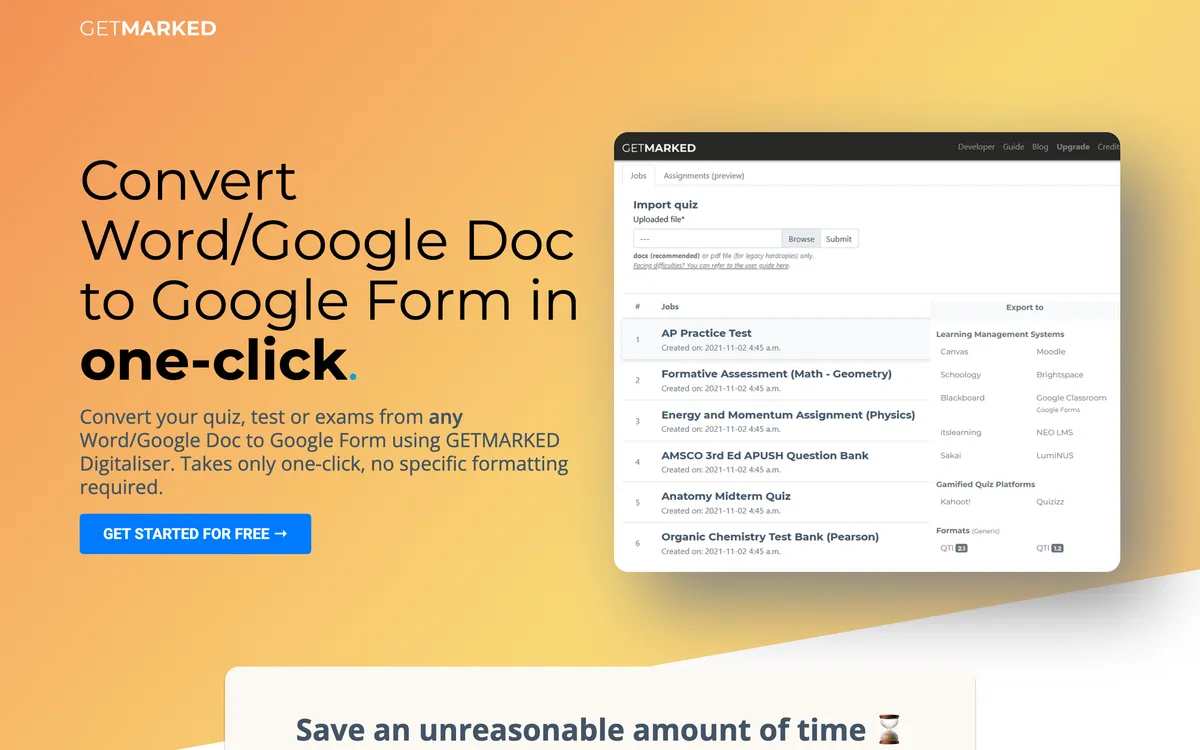
GETMARKED Digitaliser is a quiz digitisation tool aimed squarely at teachers and assessment teams. You feed it a question paper - usually a Word file or a Google Doc - and it parses the items, picks up the answer key, and writes the quiz out to Google Forms as well as LMS formats such as Moodle, Canvas, Blackboard, and generic QTI. The parsing is the interesting part: it is tuned for the conventions of exam papers, so numbered items, lettered options, marks per question, and marked answers are recognised rather than guessed at.
That focus is also the boundary. GETMARKED expects something that looks like a question paper. Hand it a patient intake sheet, a supplier onboarding form, or a parent consent slip and the item parser has nothing to grab onto. It is also Word-first: PDF and photographed sources are not where it does its best work. The free allowance is small (around two imports at the time of writing) before you move to a paid or institutional plan.
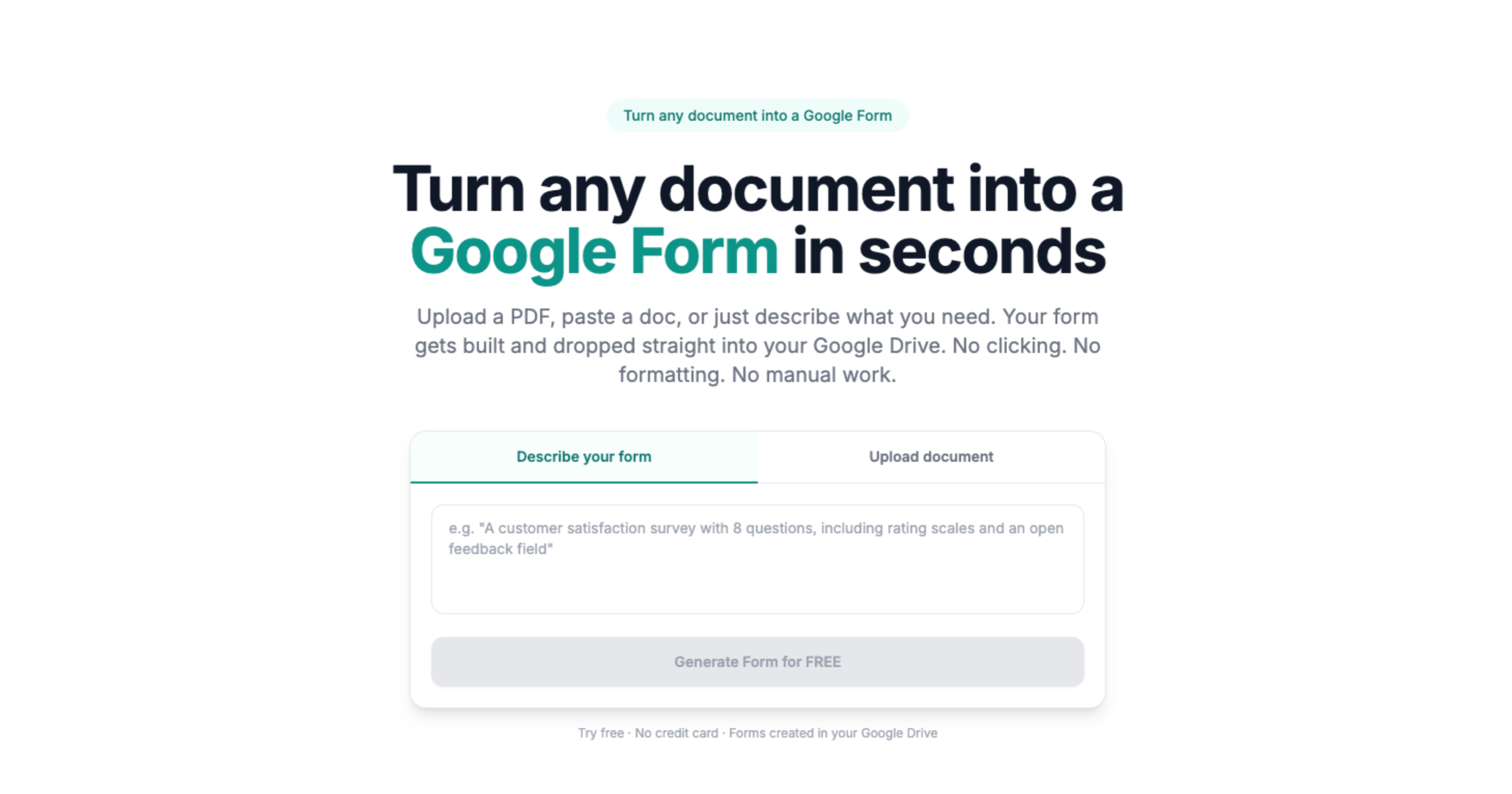
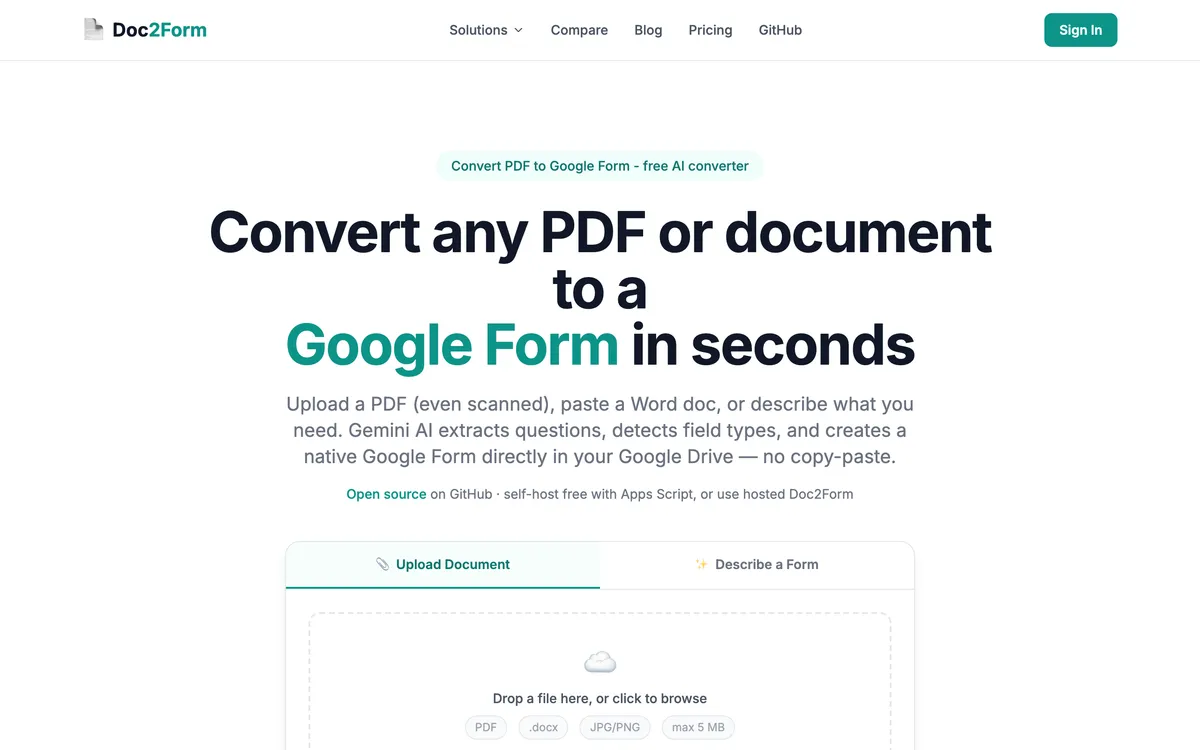
If you arrived here because you searched for a GETMARKED alternative and your real job is a general document rather than an exam, Doc2Form is the narrower answer: any PDF, Word file, or photo goes in, and a native Google Form comes out.
Quick comparison: Doc2Form vs. GETMARKED Digitaliser
| Attribute | Doc2Form | GETMARKED Digitaliser |
|---|---|---|
| Access | Web app | Web app |
| Output | Google Forms | Google Forms + Canvas, Blackboard, Moodle, QTI |
| PDF input | ✅ | ❌ (Word/Docs primary) |
| Scanned PDF | ✅ | ❌ |
| Word / Google Docs | ✅ | ✅ |
| Images as source | ✅ | ❌ |
| Math / formulas in questions | ❌ | ✅ |
| Images inside question stems | ❌ | ✅ |
| Tables in questions | ❌ | ✅ |
| General surveys / intake | ✅ | ❌ (quiz/exam focus) |
| Open source | ✅ | ❌ |
| Free tier | 1 form | 2 free imports |
| Institutional plans | ❌ | ✅ (enterprise tiers) |
Doc2Form and GETMARKED Digitaliser mostly solve different problems. GETMARKED is purpose-built for formal quizzes and exams with math notation, images in question stems, tables, and QTI export to Canvas, Blackboard, and Moodle. Doc2Form handles general documents - surveys, intakes, registration forms - plus PDFs and scanned sources GETMARKED doesn't emphasize.
If the file is a physics midterm with equations, GETMARKED is in its element. If it's a patient intake PDF or a scanned application, Doc2Form is the natural fit when you need to convert PDF to Google Form or use our document to Google Form path.
Which tool should you pick?
| Your situation | Better fit | Why |
|---|---|---|
| You have a chemistry paper with subscripts, superscripts, and a reaction diagram per item | GETMARKED | Preserves math notation, figures, and tables inside question stems; Doc2Form flattens them to text |
| The same end-of-term test has to land in Canvas and in Google Forms | GETMARKED | Writes QTI plus Moodle and Blackboard packages alongside the Google Form |
| A colleague sent you a photo of last year's worksheet and the original file is gone | Doc2Form | AI vision reads photos and scans; GETMARKED expects a clean Word or Docs source |
| You need a field trip consent form, not a graded assessment | Doc2Form | Handles surveys, intake, and registration documents that have no item structure to parse |
| Your university is buying one assessment tool for the whole faculty | GETMARKED | Sells institutional licensing with a procurement track; Doc2Form has no enterprise tier |
| You are converting a 40-page scanned application pack for HR | Doc2Form | PDF and scan input is the primary path, and the output is an ordinary Google Form in your Drive |
| You want to test a converter today without a purchase order | Doc2Form | First form is free with no card, then credit packs from $5 that do not expire (check current pricing) |
| Your answer keys are already marked up in the Word file and you want them carried into the quiz | GETMARKED | Answer key detection on question papers is what the parser is built for |
| Someone on your security team wants to read the code | Doc2Form | Open-source Apps Script you can audit or self-host; GETMARKED is closed source |
Features compared: Doc2Form vs. GETMARKED Digitaliser
Overlap: quiz to Google Form
Both can land quizzes in Google Forms. The overlap shrinks when the source needs LaTeX, figures, or QTI export to an LMS. GETMARKED owns that complexity; Doc2Form optimizes for breadth of document types and vision parsing on scans.
Where the two genuinely collide is the plain multiple-choice test: twenty numbered items, four lettered options, an answer key at the back. Both will produce a usable Google Form from that. The deciding factor is rarely the questions themselves, it is what surrounds them. If the paper carries a formula, a labelled diagram, or a data table the student must read to answer, GETMARKED keeps that intact and Doc2Form does not. If the paper only exists as a scan from the departmental filing cabinet, that flips.
- Plain quiz from PDF (no heavy math): Either may work - Doc2Form accepts PDF directly.
- Exam with equations and diagrams: GETMARKED.
- Quiz that exists only as a photocopy: Doc2Form, via quiz to Google Form.
PDF vs Word-first pipelines
GETMARKED assumes Word or Docs workflows for most teams. Doc2Form assumes PDF and image uploads are the norm, including document to Google Form style content.
This sounds like a small difference and turns out not to be. Question papers get shared as PDFs precisely because PDFs do not reflow, so the version circulating in your department is often the one you cannot easily feed to a Word-first parser. Doc2Form takes the PDF as it is, up to 5 MB, and reads it with Gemini rather than requiring a text layer. Photographed pages, faxed pages, and exports from an old scanner all go through the same path. GETMARKED will do better on a .docx that has never left the original author's machine.
- Scanned packet: Doc2Form.
- Clean .docx assessment: GETMARKED's feature set shines here.
- Word file you cannot open because it is on a colleague's Drive: Convert it to PDF and either tool will cope.
Answer keys and quiz grading
GETMARKED is built around assessment, so it reads answer keys out of a question paper and sets them as correct answers with marks attached. That is genuinely useful when the key is already written into the document in whatever convention your department uses, and it saves the tedious pass of clicking through Google Forms quiz settings item by item.
Doc2Form detects quiz structure and produces the questions and options faithfully, but you should expect to confirm correct answers and point values in the Google Forms editor afterwards. For a ten-item pop quiz that is a two-minute job. For a hundred-item bank it is not, and that is a fair reason to pay for GETMARKED.
Question types and layout fidelity
Multiple choice, checkboxes, short answer, and paragraph questions come through cleanly on both tools. The gap opens on layout-dependent items. Matrix and grid questions - the "rate each statement from 1 to 5" block that survey and evaluation forms lean on - can need manual cleanup in Doc2Form, and complex nested tables usually will. GETMARKED keeps tables inside question stems, which matters for data-interpretation items.
Neither tool will rebuild page design. A Google Form is a linear list of questions, so a two-column exam paper becomes a single sequence either way. Preview before you send.
Institutional scale
GETMARKED sells university-scale licensing with the paperwork that implies: departmental seats, invoicing, and a named contact. If your institution is standardising on one assessment tool, that route exists and Doc2Form does not offer an equivalent. Doc2Form is credit-based for individuals and small teams, with no seat management, no admin console, and no volume contract.
Non-academic PDFs
Operations teams rarely need superscript chemistry in their intake PDFs. They need survey PDF to Google Form speed. The same split shows up inside a school: the exams office may run GETMARKED while the front office still has a stack of field trip slips, medication consent forms, and club sign-ups. Those have no items, no marks, and no answer key, so an assessment parser has nothing to work with. Doc2Form treats them as ordinary intake forms to convert and writes a plain Google Form that feeds a Sheet.
Open source and account access
Doc2Form Apps Script runs under your Google account with auditable code at github.com/kamilstanuch/doc2form. You can self-host it if your institution would rather nothing left its own tenancy. GETMARKED is closed source.
Be aware of the tradeoff on the other side: Doc2Form needs Google OAuth with the forms.body scope to write a form into your Drive. Some institutions treat that as routine, others do not. Documents are processed to extract structure and then discarded, with only the form title and link retained, but if your policy forbids granting Drive-adjacent scopes to any outside app, that is a real blocker and worth raising before you pilot either tool.
Pricing: Doc2Form vs. GETMARKED Digitaliser
| Plan | Doc2Form | GETMARKED (typical) |
|---|---|---|
| Free | 1 form | 2 imports |
| Entry | $5 / 10 credits | ~$10/year (page-limited tiers) |
| Personal unlimited | $29 / 100 credits | ~$40/year personal (verify site) |
| Enterprise | ❌ | Custom / institutional |
Always confirm numbers on vendor pages.
When the overlap is fuzzy
A plain reading quiz in Word might work in either tool. GETMARKED still wins if you need QTI export that same afternoon. Doc2Form wins if the PDF is photographed or needs image to Google Form style capture.
Faculty sometimes keep GETMARKED for final exams and Doc2Form for field-trip permission slips - different forms, different requirements.
Which tool fits your use case? Doc2Form vs. GETMARKED Digitaliser
Choose Doc2Form when:
- Source is a PDF, photo, or scan.
- The form is a survey, intake, or registration - not a formal exam.
- You want credits or open source.
Choose GETMARKED when:
- Items need math notation, images, or tables preserved.
- You export QTI to Canvas, Blackboard, or Moodle alongside Google Forms.
- Budget fits annual or institutional licensing.
Before you commit: Doc2Form vs. GETMARKED Digitaliser
Run one clean Word quiz and one phone photo through whichever tools you can access. GETMARKED should handle equation spacing and image alignment in question items well. Doc2Form should handle ugly PDFs and general intake forms without issue.
If procurement already covers a GETMARKED faculty license, student clubs needing Google-only surveys might still use Doc2Form credits separately - different constituencies, different tools, and that's fine.
The verdict: Doc2Form vs. GETMARKED Digitaliser
These products barely compete on the same job. GETMARKED is for assessment digitization in schools and universities. Doc2Form is for broad document to Google Form conversion with strong scan handling. They meet only when a simple quiz PDF doesn't need STEM layout fidelity.
Takeaway: STEM + LMS exam pipelines - GETMARKED. General PDFs and scans to Forms - Doc2Form.
Frequently asked questions
Can GETMARKED replace Doc2Form for HR forms?
Usually not - GETMARKED targets formal quiz and exam digitization. For document to Google Form HR paperwork, Doc2Form is the better fit unless items need math layout.
I only teach humanities quizzes - which app?
Try Doc2Form first when the PDF is messy or scanned. Use GETMARKED when you also need QTI export or tables inside question stems.
Does Doc2Form support LaTeX?
Not today - use GETMARKED or do manual editing inside Forms.
Which handles scanned exams?
Doc2Form has vision-based parsing for scans. GETMARKED doesn't position on scanned PDF the same way.
Is GETMARKED open source?
No - Doc2Form offers an open-source path via Google Apps Script.
Does GETMARKED handle student photos of worksheets?
GETMARKED expects clean Word or Docs sources. Doc2Form handles scanned PDF to Google Form for photographed packets.
Is GETMARKED better than Doc2Form for exam digitisation?
For formal assessment, yes, and it is worth saying plainly. GETMARKED reads answer keys, keeps figures and tables attached to their items, and exports QTI so the same paper lands in Canvas or Moodle. Doc2Form outputs Google Forms only and leaves answer keys for you to confirm in the editor. If exam papers are your main workload, GETMARKED is the specialist.
Does Doc2Form import answer keys automatically?
It detects quiz structure and carries the questions and options across, but plan to set correct answers and point values yourself in Google Forms. That is quick for a short quiz and tedious for a large bank, which is where GETMARKED's key parsing earns its price.
Can either tool export to Moodle or Canvas?
GETMARKED can, through QTI and native LMS packages. Doc2Form cannot: Google Forms is its only output target, with no LMS export and no Kahoot or Quizizz path. If a second destination is on your list, do not plan around Doc2Form for it.
What happens to matrix or grid questions?
GETMARKED handles table-based items well. In Doc2Form, a "rate each statement" grid usually comes through as a set of questions that needs tidying into a proper grid inside the Forms editor. It is a known rough edge rather than a failure, but budget a few minutes for cleanup on evaluation forms.
Which is cheaper for a single teacher?
Doc2Form, in most one-person cases. The first form is free with no card, and credit packs start at $5 for 10 credits with no expiry, so an occasional term-time conversion costs cents. GETMARKED's roughly two free imports run out fast and its plans are annual. Check both sites for current pricing before you commit.
Try Doc2Form - first form free.