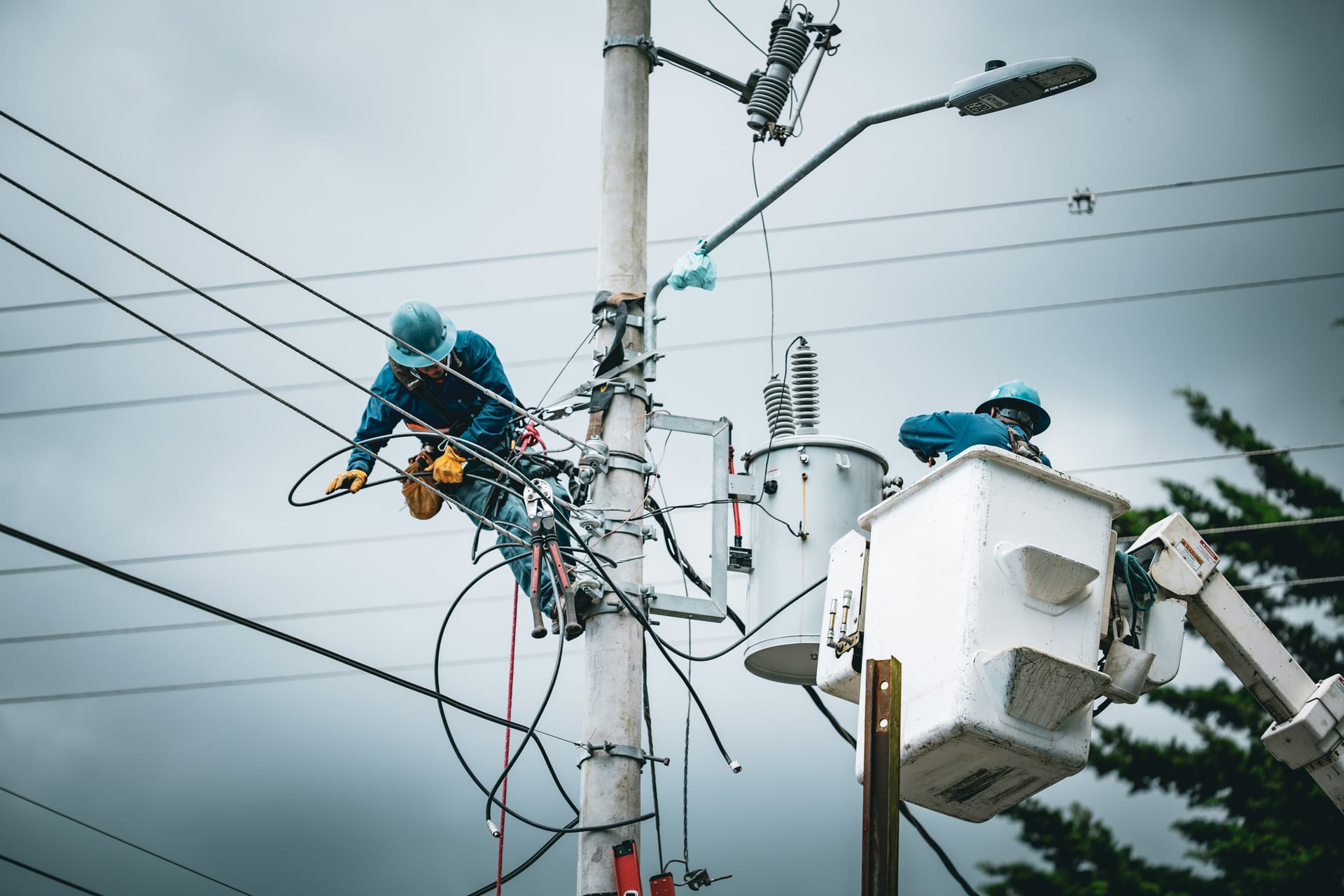

Operational continuity begins with clean field data

In the energy and utilities sector - electrical, gas, and water - the margin for error is non-existent. Whether it is a safety tailboard before a high-voltage repair or a vegetation management audit on a Right-of-Way (ROW), most utilities rely on multi-page PDF checklists and Word templates that have been vetted by regulatory affairs, legal, and EHS (Environment, Health, and Safety) teams. The friction occurs during a major storm or a planned outage, when hundreds of mutual-aid contractors and temporary staff need to be onboarded and briefed using your specific safety protocols. Retyping those multi-page SOPs into a blank Google Form at 4 AM in a storm center is an invitation for error.

Doc2Form eliminates this "manual retype" by reading your agronomist or engineer-approved PDF - up to 5 MB - and drafting a structured Google Form in seconds. This ensures that every contractor and every field crew captures data using identical definitions, which is mandatory for NERC CIP compliance, insurance reconciliation, and FEMA reimbursement after a major restoration event. By maintaining the same terminology as the source script, you keep your "field-ready" documentation consistent from the dispatch center to the bucket truck.

Field Work: Safety Tailboards and Mutual-Aid Intake

During a storm restoration or a complex maintenance window, speed is essential, but safety briefings cannot be skipped. If a yard supervisor or crew lead has to pass physical clipboards to a hundred different contractors, the process breaks down. By moving your tailboards into Google Forms, you can provide a QR code at the staging area or on specific substation gates. Crews can tap through the hazard checks, clearance procedures, and hot-work acknowledgments on their own mobile devices, and you get a real-time, timestamped record in a Google Sheet.

Importing your existing "Daily Safety Brief" or "Tailboard" PDF ensures that you are not missing critical prompts about grounding, arc-flash boundaries, or weather alerts. Once the Form is generated, you can add "File Upload" questions so that crews can attach a photo of their clearance tag, their vehicle inspection, or a specific site hazard, providing auditable proof of compliance that stays organized in Google Drive by circuit ID or project number. This transparency is vital for maintaining your safety culture and proving due diligence during a regulatory audit.

Customer Service and Assistance Programs

Beyond the field, utilities handle a significant volume of customer-facing intake for Energy Efficiency (EE) rebates, low-income assistance programs, and post-outage surveys. If your community outreach or regulatory affairs team uses a Word-based eligibility worksheet, Doc2Form can bring it into Google Forms in seconds. By providing a simple link instead of a PDF attachment, you increase participation rates from residential customers and get structured data into Sheets that your program managers can use for annual state or provincial reporting.

By digitizing your existing feedback and enrollment surveys, you maintain consistency in your customer history. If your utility’s post-storm survey has been using a 10-question PDF for years, importing that same PDF into Google Forms ensures that your longitudinal data on "Restoration Satisfaction" remains comparable across different events. Your data stays in your secure Google Drive, not on a third-party platform that might not meet your company's strict cybersecurity or NERC CIP standards.

Common questions

Does this replace our primary ADMS, OMS, or GIS like ESRI, Milsoft, or Oracle?

No. Doc2Form is a productivity bridge for the "early field capture" and "customer survey" phases that precede or feed formal record-keeping. Utility teams use Google Forms for high-volume contractor intake, customer sentiment pulses, or internal safety checks, and then manually export or use API bridges to move key data into their system of record. It's a tool for the "gaps" where your main system might be too rigid or not mobile-friendly for third-party contractors.

How do we handle NERC CIP, FERC, or other sensitive data regulations?

Doc2Form does not decide whether a given collection may live in Google Workspace; your cyber and compliance teams do. We recommend using Doc2Form only for non-critical business processes or internal-facing audits that your CISO has already cleared for the cloud. The Forms and response data live in your own firm's Google Workspace tenancy, not on Doc2Form's servers. We advise against collecting highly sensitive grid-topology secrets or customer PII in plain-text Forms unless your Workspace security has been specifically hardened.

Can field crews use the Form offline in remote ROWs or substations?

Google Forms generally requires a data or Wi-Fi connection. We recommend that crews save the Form as a shortcut on their mobile devices. For remote areas with zero cell signal, we advise maintaining a paper backup for the immediate safety briefing and then syncing the data once signal is restored. Most utilities find that LTE coverage is sufficient for the 30-second submission time required for most field forms.

Can we collect photos of substation issues or ROW encroachment?

Yes. Once the Form is generated in Google Forms, you can enable "File Upload" questions. This is mandatory for environmental and vegetation inspections where you need the technician to attach evidence of a spill, a broken insulator, or a tree-trimming requirement before a work order is created. Photos land in a secure folder in your Google Drive, linked to the inspection response.

What is the cost for a large investor-owned utility or municipal co-op?

Your first hosted conversion is free, allowing you to test your most complex storm-onboarding packet. For organizations that need to digitize large libraries of SOPs, contractor intakes, and rebate forms across multiple regions, we offer credit packs. The codebase is also open source for firms that prefer to host the tool on their own private, air-gapped infrastructure to meet strict utility-governance rules.

